Getting Started
Purchases
Safety and Moderation
Technical Support
How tos
How to Create a World
How to Change World Images
How to Delete a World
How to Clone a World
How to use the Entity Panel
How to use the Inspector Panel
How to Lock Objects
How to select Multiple Objects
How to Group Objects
How to Rig a Character
How to Animate a Character
How to Control a Character
How to Change Materials
How to Move Objects
Create Objects with Text
Create Objects with Images
Create Objects with Idea Forge
Create Primitive Shapes
Create Duplicate Objects
Edit Ground Environments
How to Optimize Polygon Count
Create Particle Systems
AI Models
Exporting and Importing
Audio
Lighting
Physics
Gameplay
Nilo Discord
Nilo YouTube
Nilo TikTok
Nilo Instagram
Play Nilo
    Home
  1. How tos
  2. How to Rig a Character

How to Rig a Character

Last updated 7 days ago

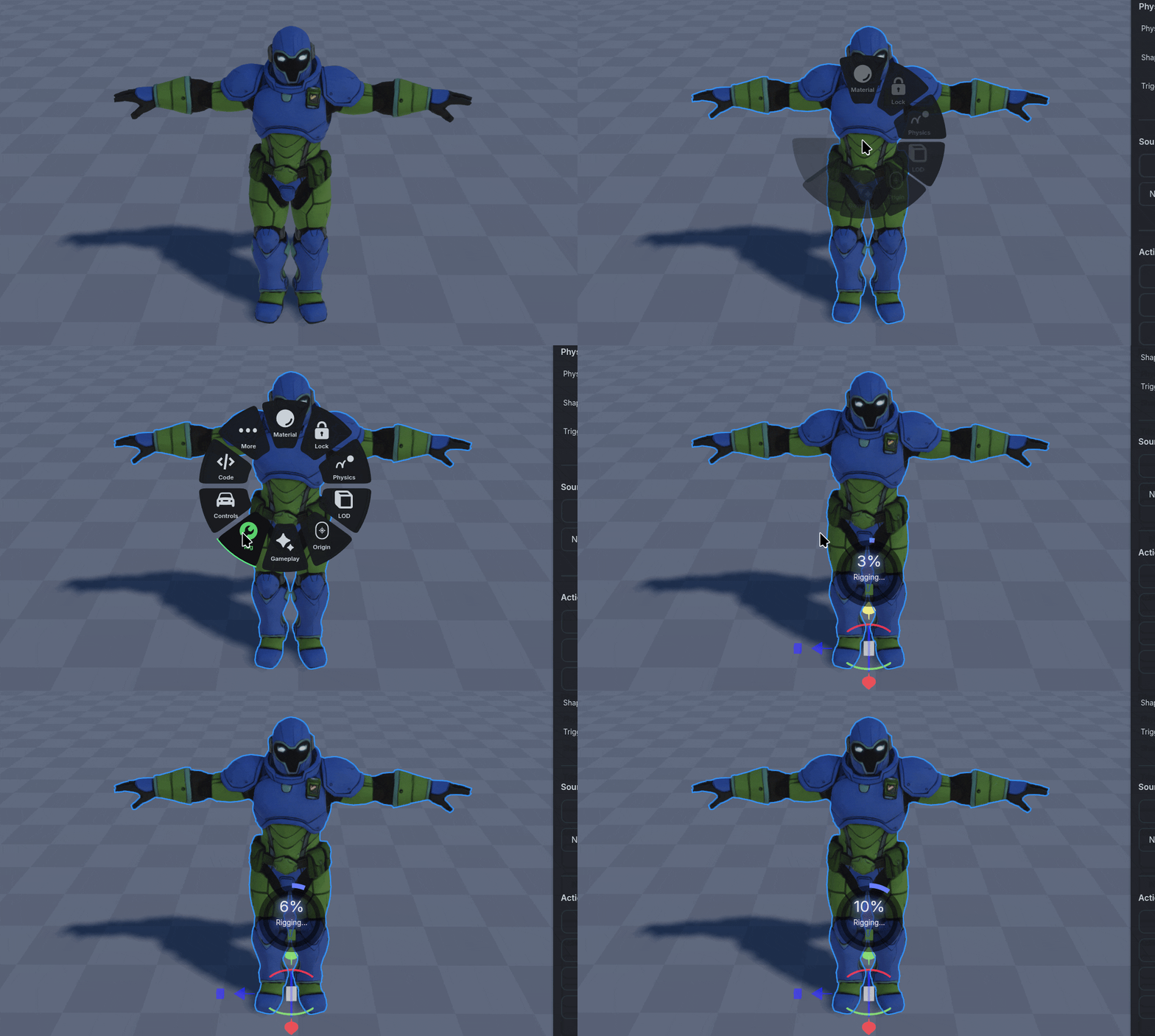
Right Click to open the Radial Menu on the Object you want to rig.

Nilo expects your characters to be Bipedal, and standing in a β€œT” pose for the best animation quality. Currently Nilo does not support Quadruped or Creature rigs.
Was this helpful?