How to Optimize Polygon Count
Last updated 4 months ago
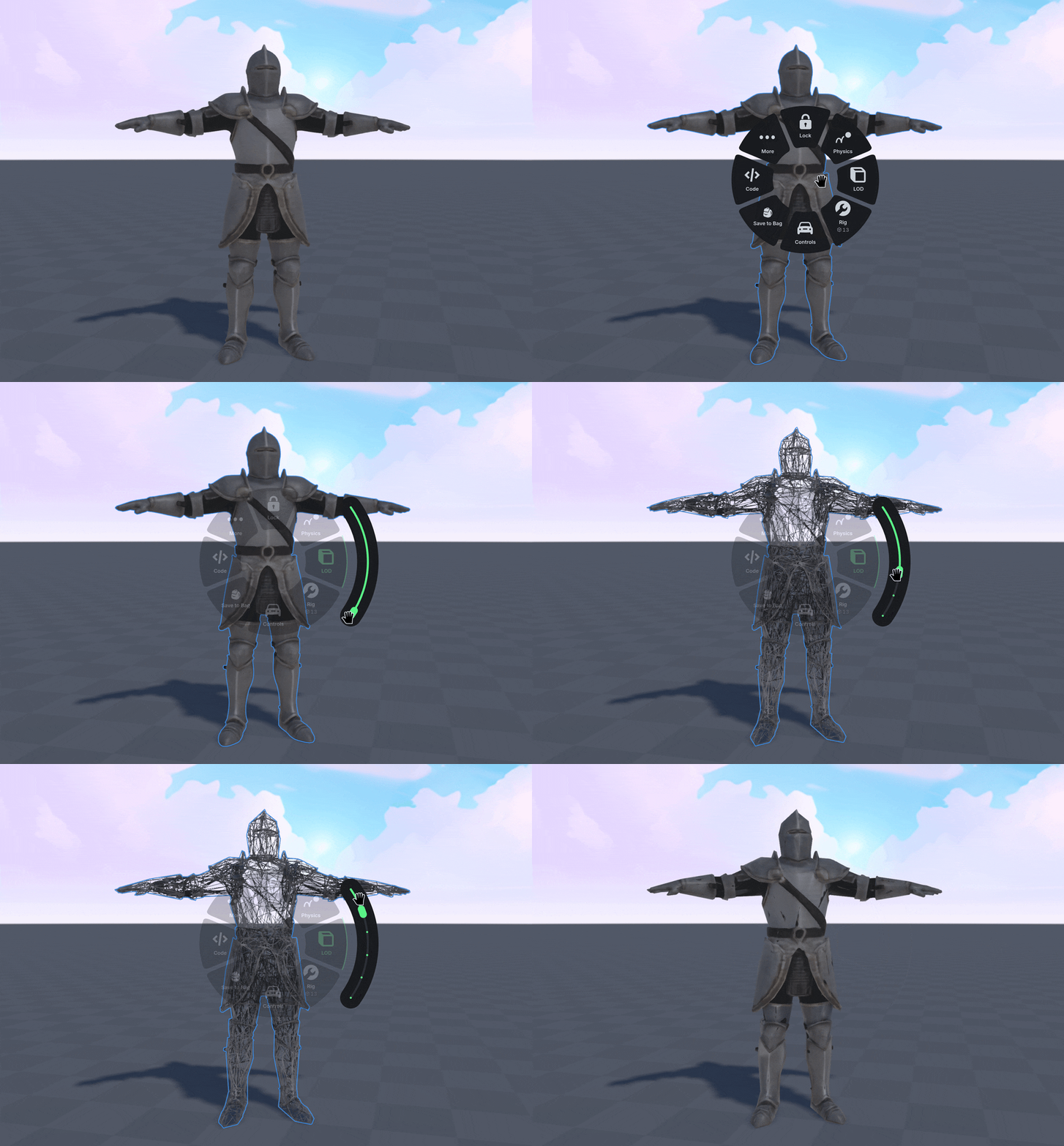
Right-Click a generated object, then select the LOD (Level of Detail) option.
Use the slider to control the amount of polygons the object has.
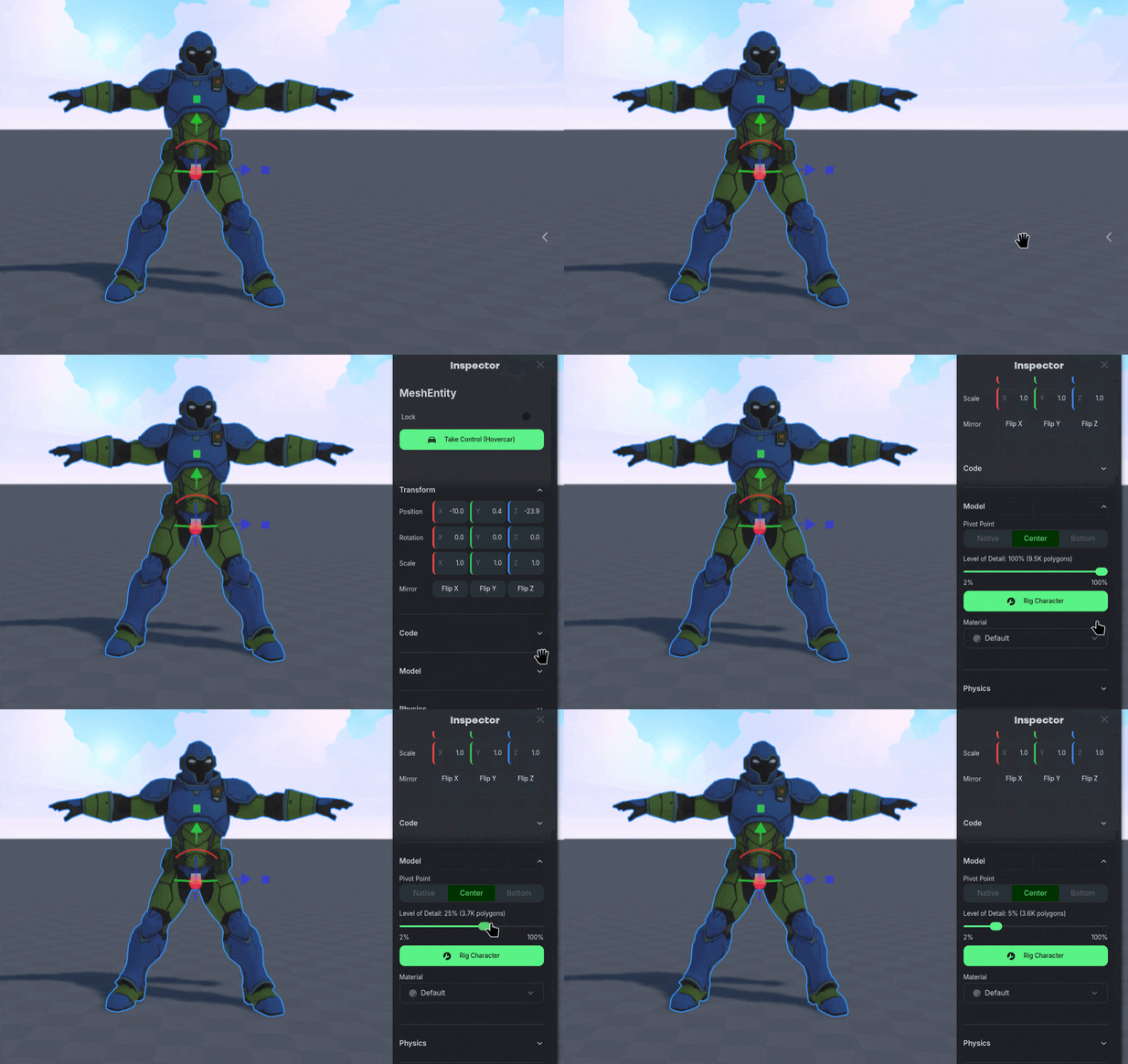
Use the Inspector Panel, under the Model section to see a more detailed LOD slider with a polygon count.
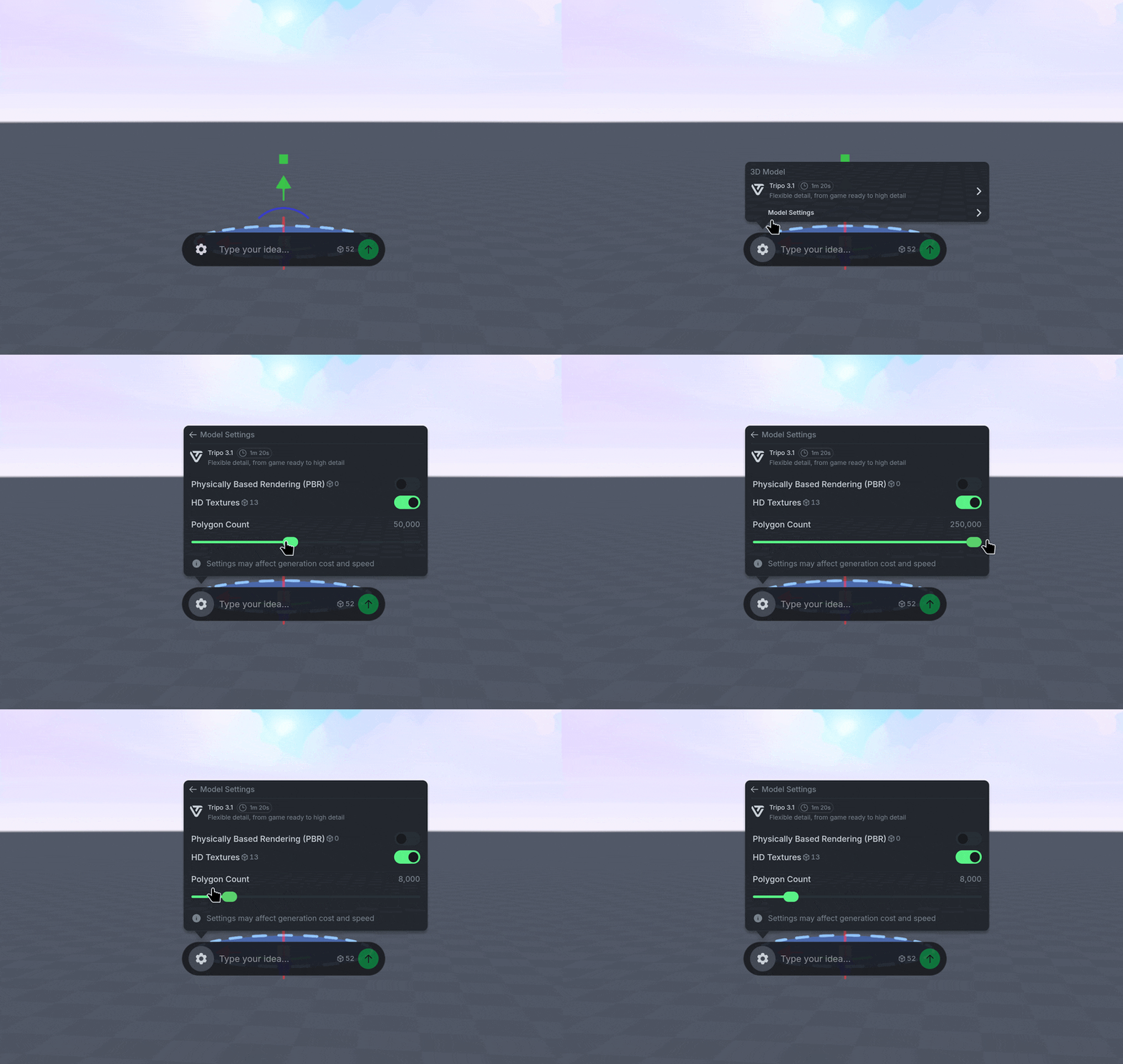
Alternatively, initially generate your object with the ideal polygon count in mind.
To change the polygon count, use the ⚙️ Gear Icon when generating an object, then select Model Settings.
Then use the slider to adjust the target polygon count value.
What’s a good amount of Polygons?
The right polygon count depends on what the Object is and how it is used in your World. We generally recommend the following ranges, but adapt them for your use-case:
Small background or decorative objects: 1,000 - 5,000 polygons.
Large background or detailed objects: Greater than 10,000 polygons.
Controllable Characters: 10,000 polygons.
Roblox UGC: Less than 4,000 polygons.
Objects for 3D printing: Greater than 100,000 polygons.