How to Animate a Character
Last updated 8 months ago
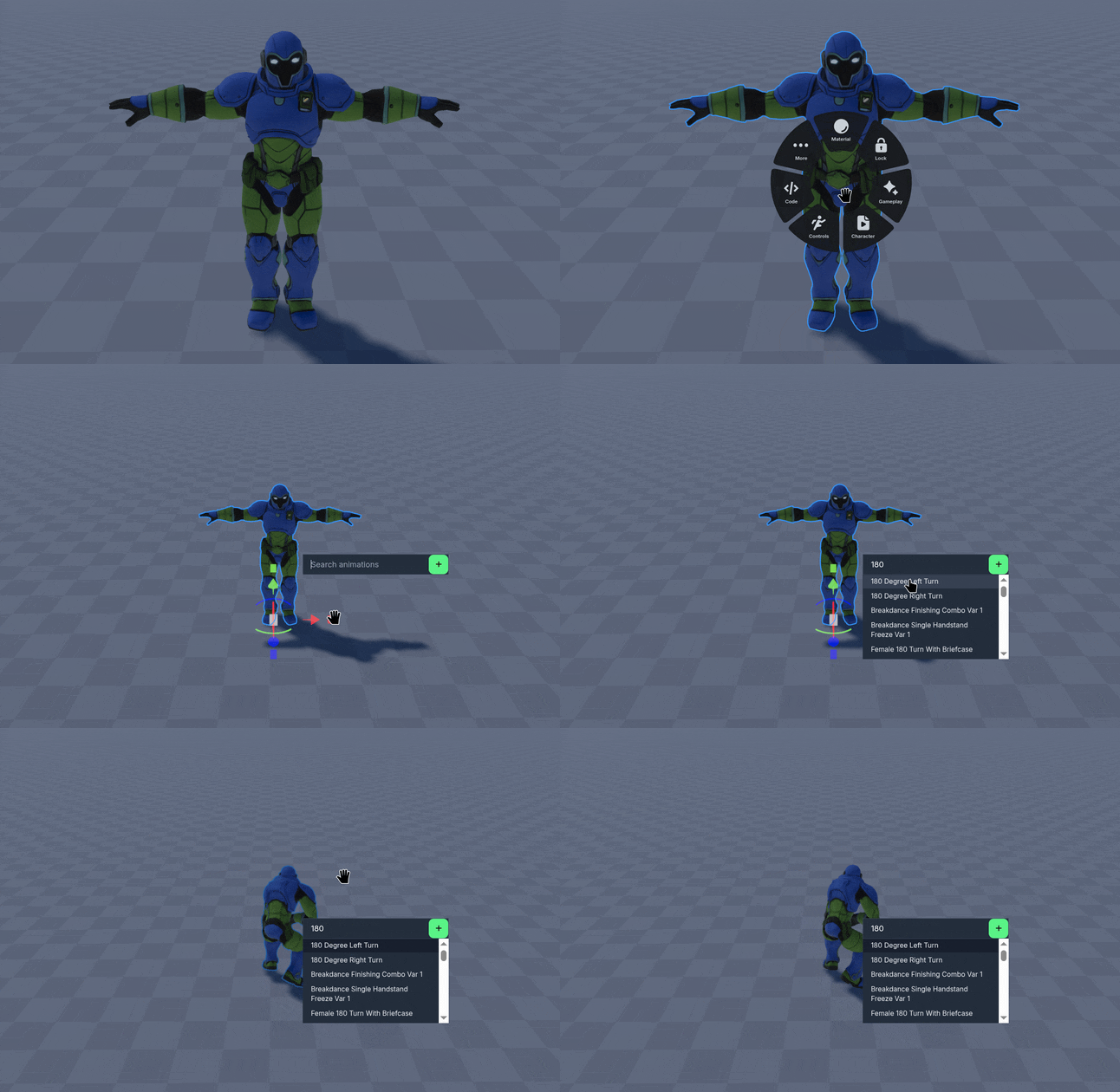
Right Click a Rigged Character, then select the Character option.
Then select the Play ▶️ Icon.
Type a prompt to search for available animations to play, then select the desired animation.
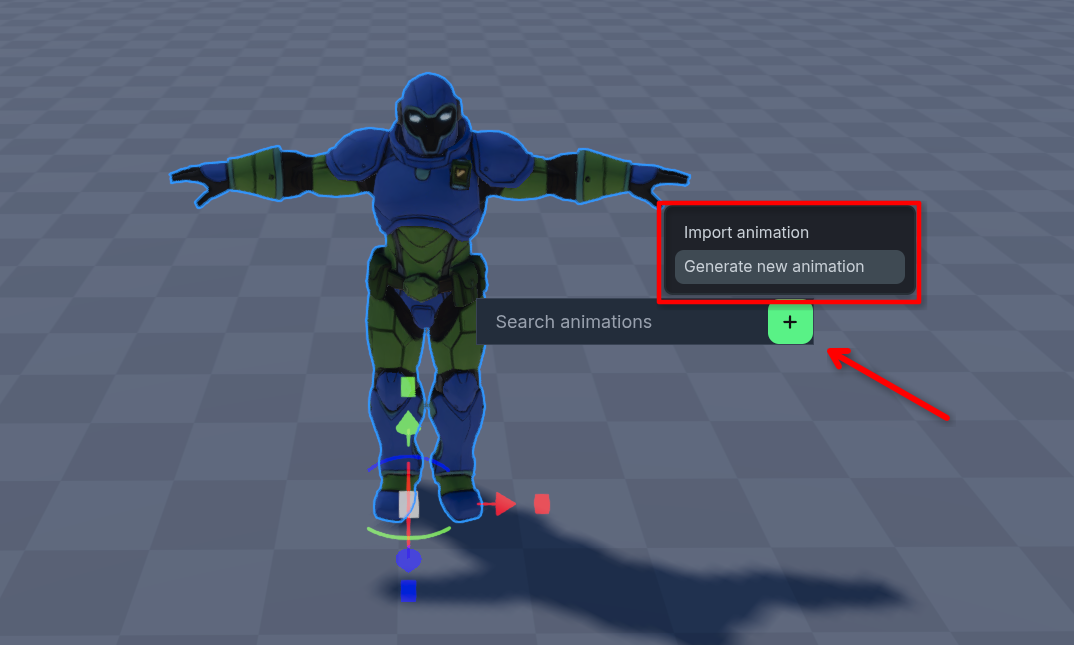
Generate new animations based on your prompt using the Plus ➕ Icon.
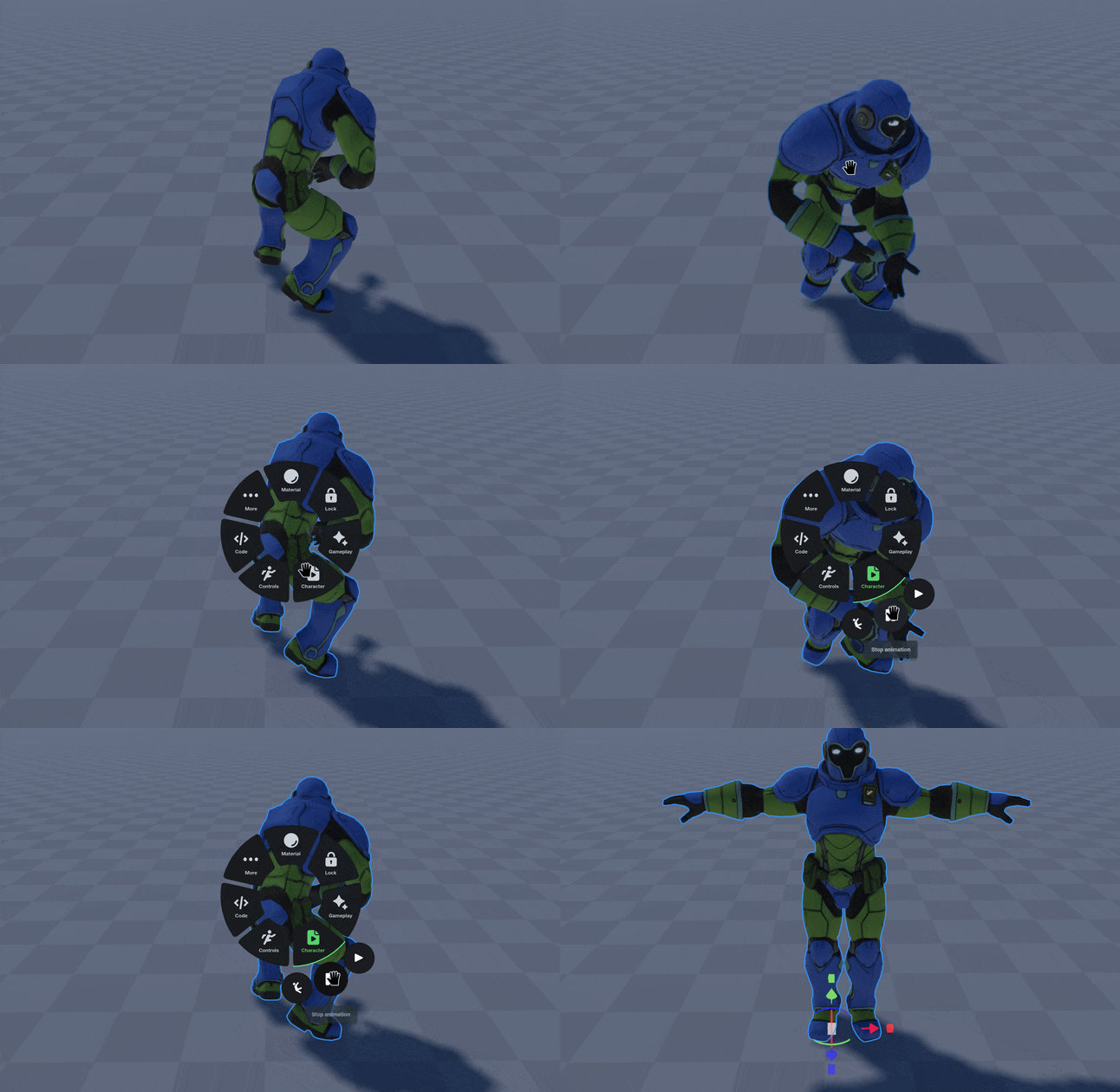
To stop an animation, select the Character option again, then the Pause ⏸️ Icon.
Was this helpful?
Still need help? Ask the team