Create Objects with Idea Forge
Last updated 6 months ago
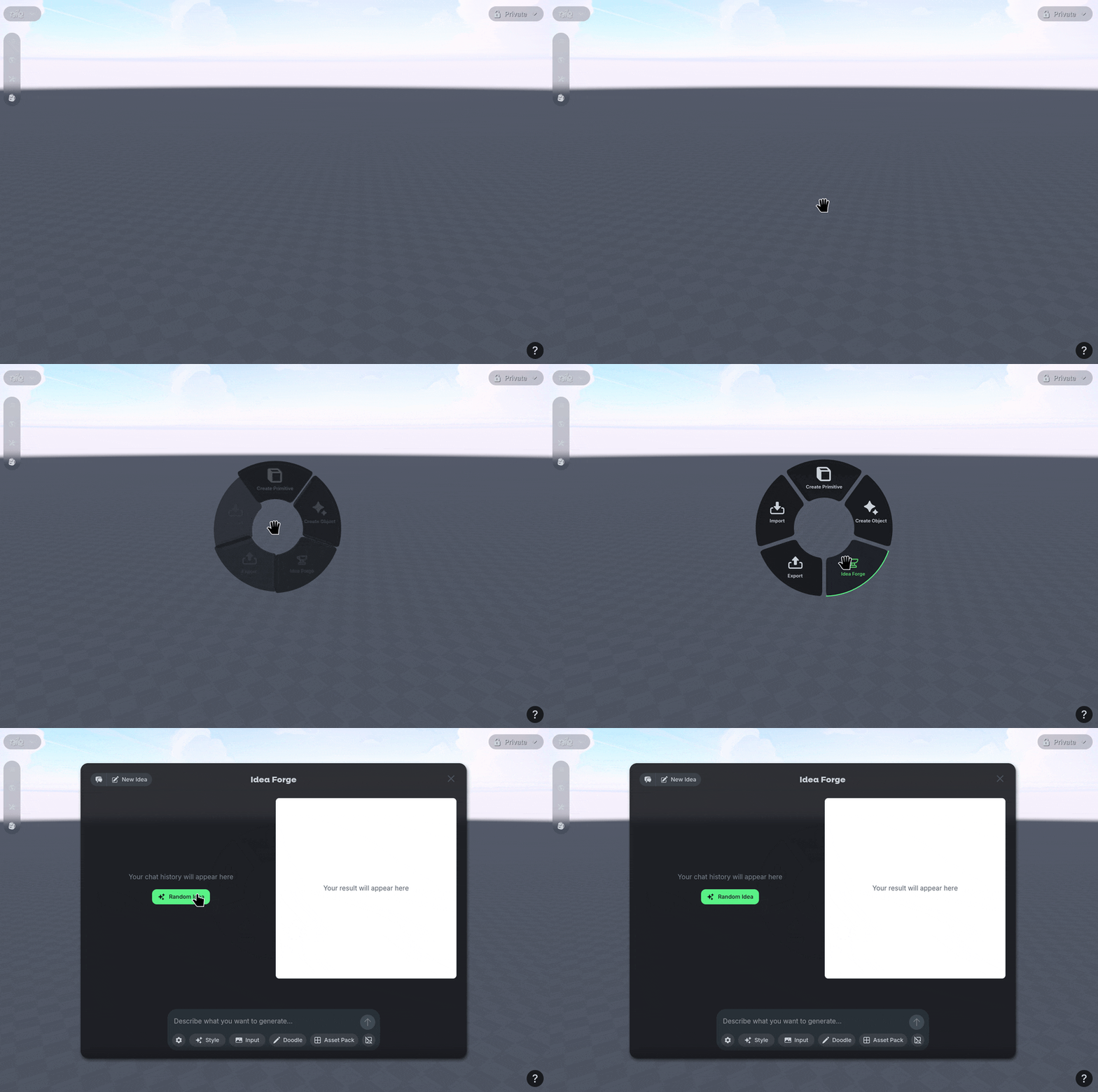
Right Click an empty space in the world, then select the Idea Forge option.
Choose what AI Model you want to use for generating using the ⚙️ Gear Icon.
Type in a prompt to guide Idea Forge, or use the Random Idea option to get suggestions.
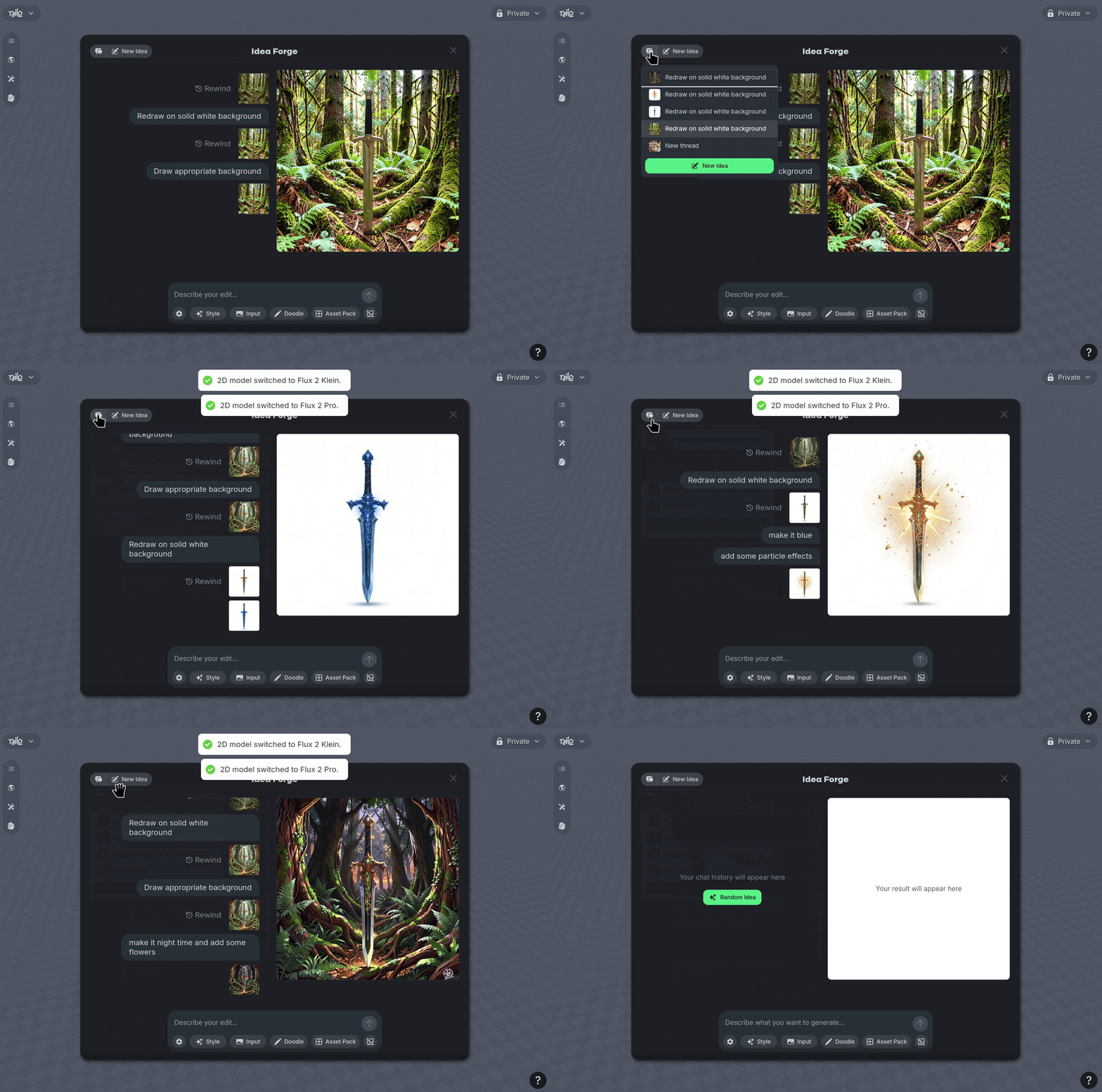
Your creations will have history, managed in 🗨️ Threads.
You can navigate between your previously created ideas using Threads as needed, or start a ✏️ New Idea to start from scratch again.
You can easily remove backgrounds when using the 🖼️ No Background Icon.
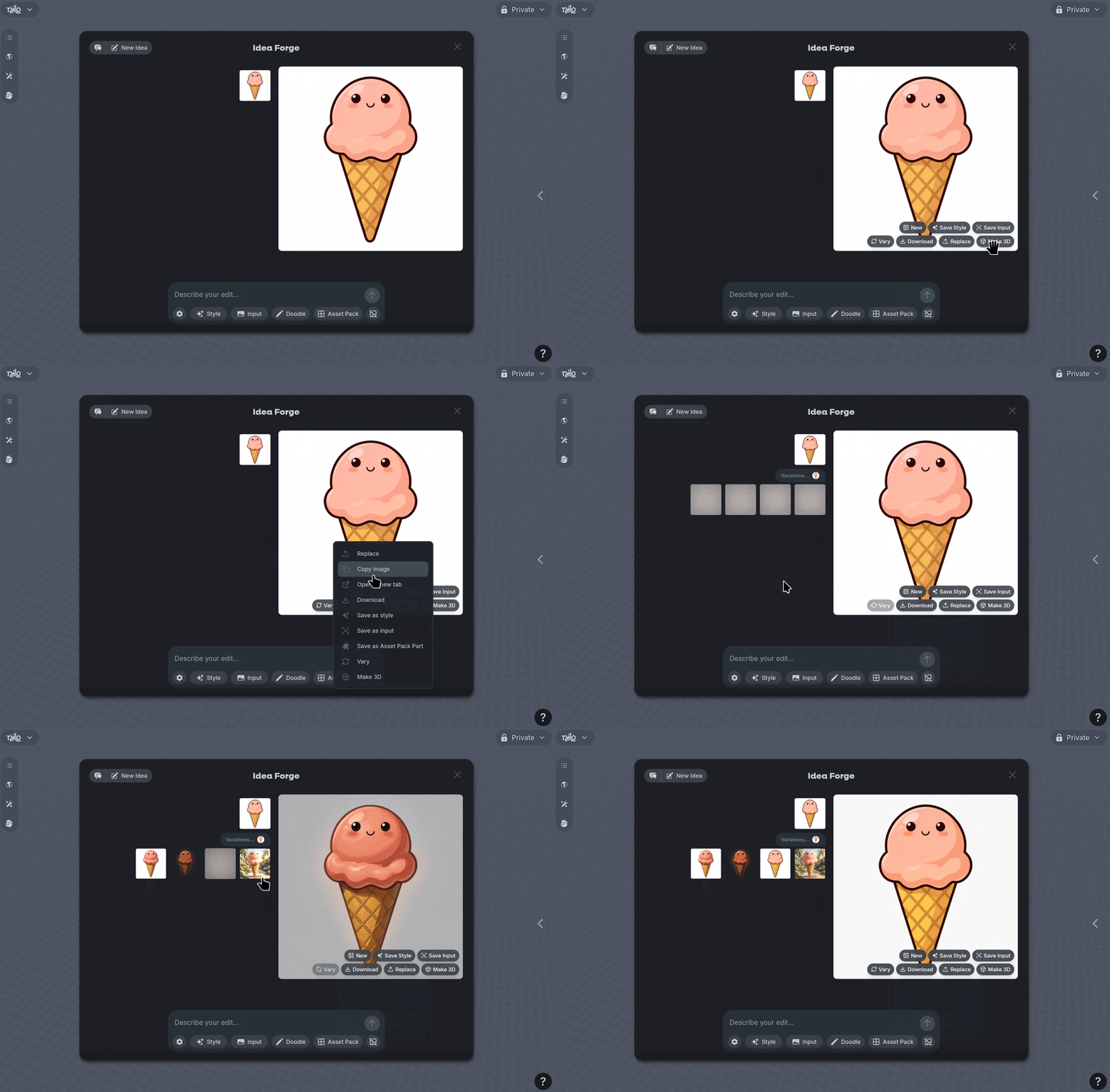
Additional options are available when you hover over images or Right Click and image.