How to use the Entity Panel
Last updated 6 months ago
Select the menu icon on the top left of the screen.
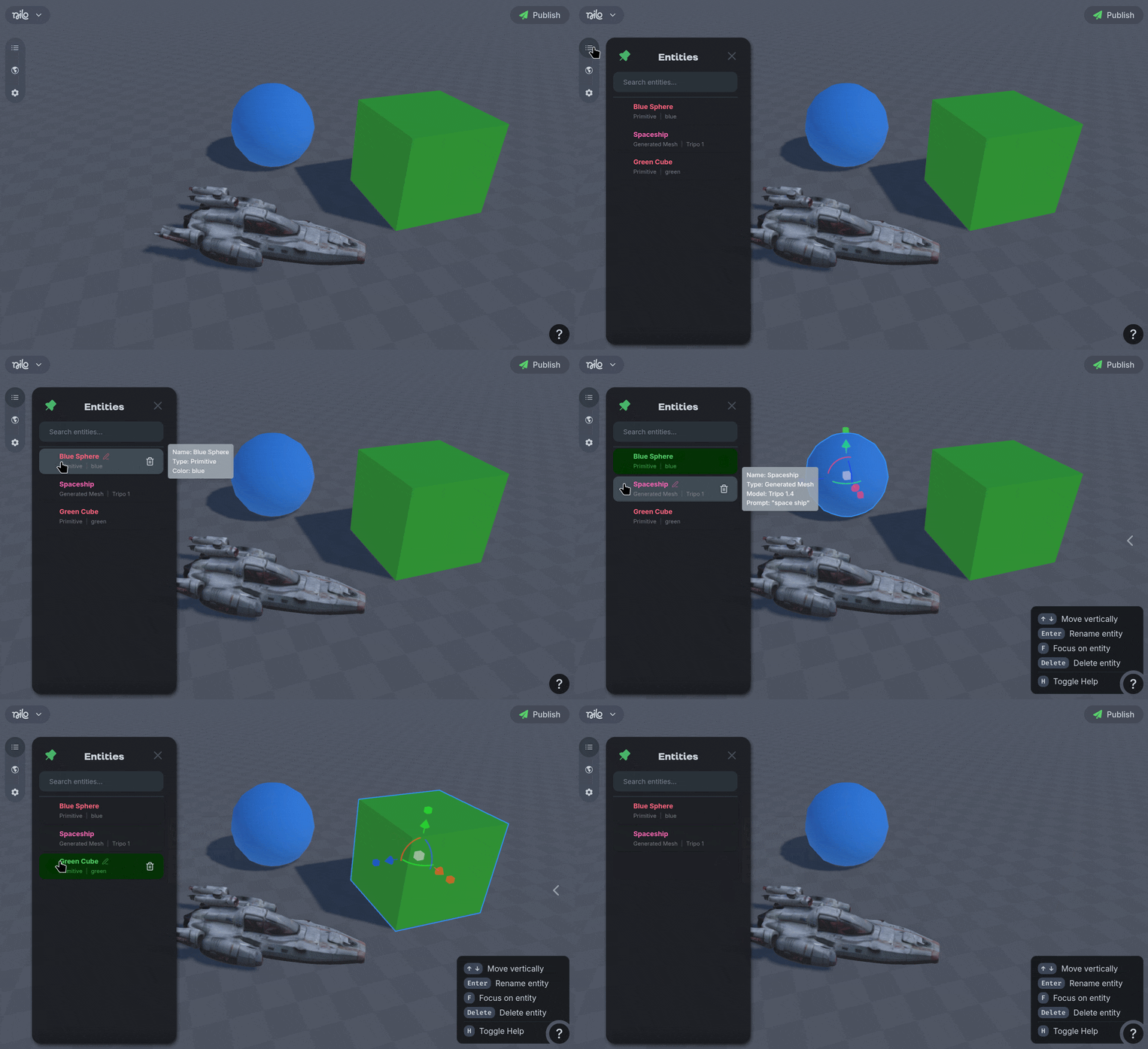
You can select objects by clicking in the hierarchy.
Delete objects using the 🗑️ icon.
Rename objects using the ✏️ icon.
You can "Focus" on a selected object using the F shortcut key.