How To Publish Your World
Last updated 7 months ago
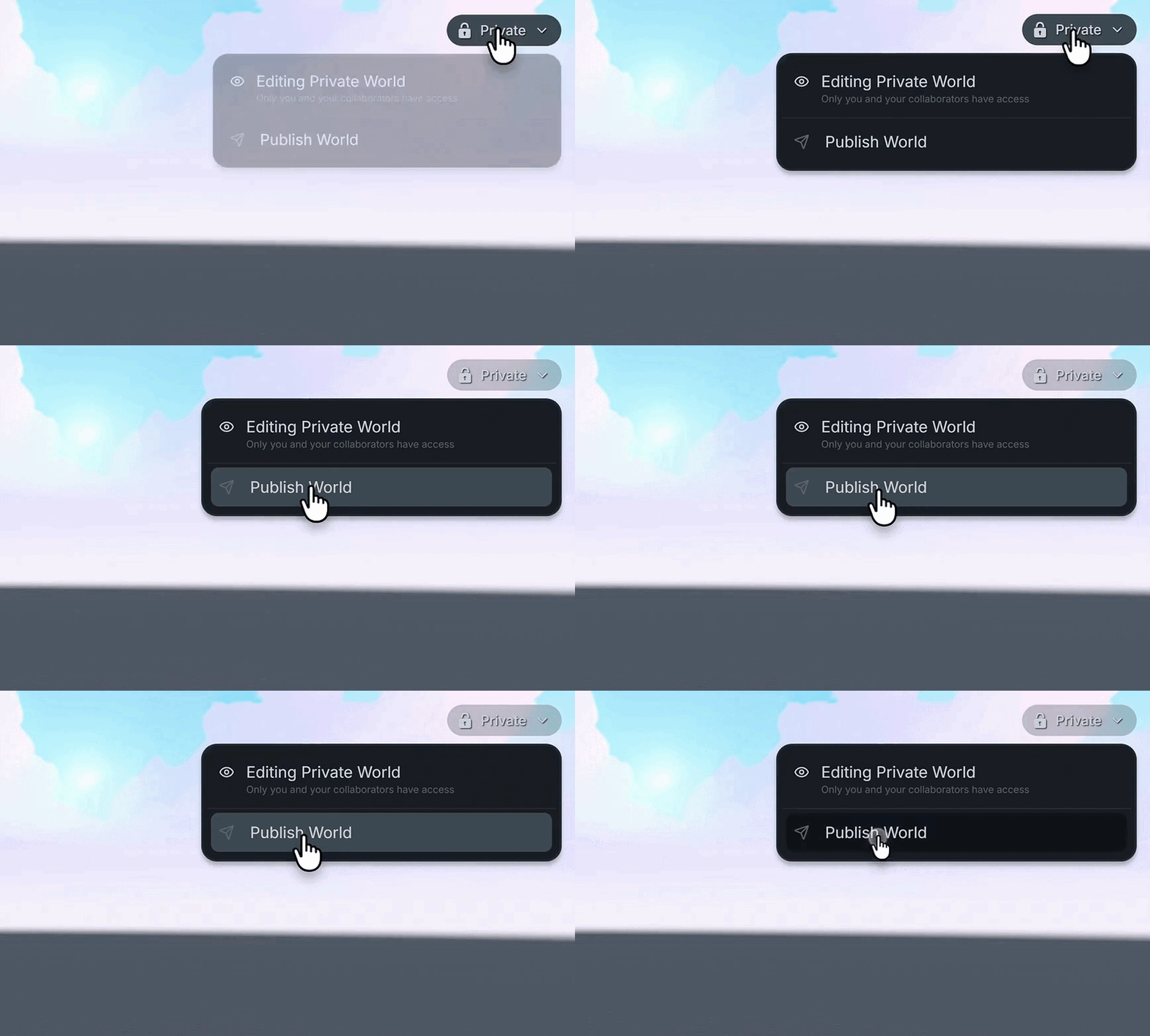
Select the Private option in the top right corner of the screen, then select Publish World.
Edit your World Name.
Choose either Sandbox or Spectator Mode, then select Publish World.
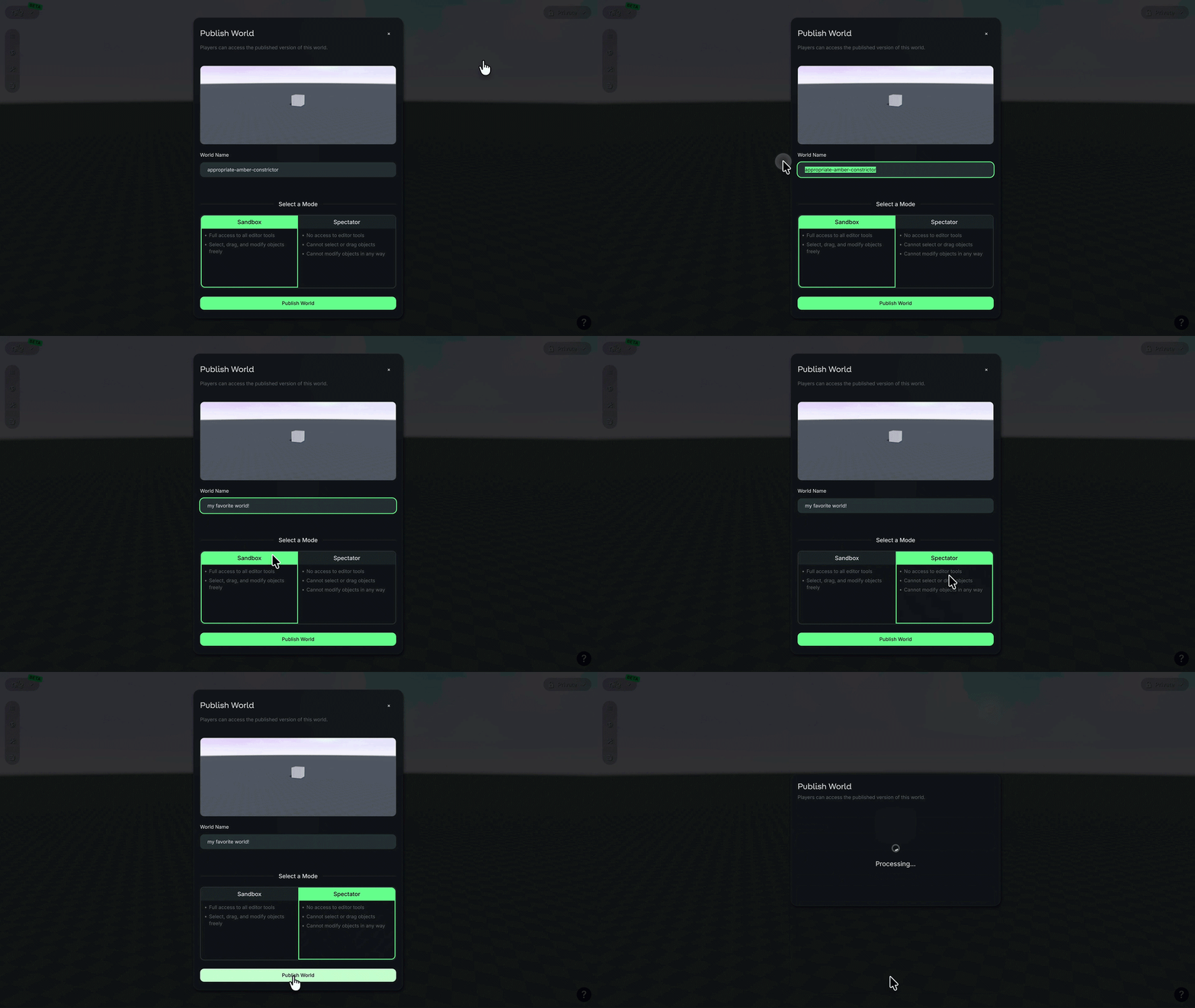
Your World preview, or thumbnail, will use what is displayed when publishing.
Was this helpful?
Still need help? Ask the team