How To Publish Your Game
Last updated 4 days ago
Select the 🌐 World option in the top left corner of the screen, then select Publish Game.
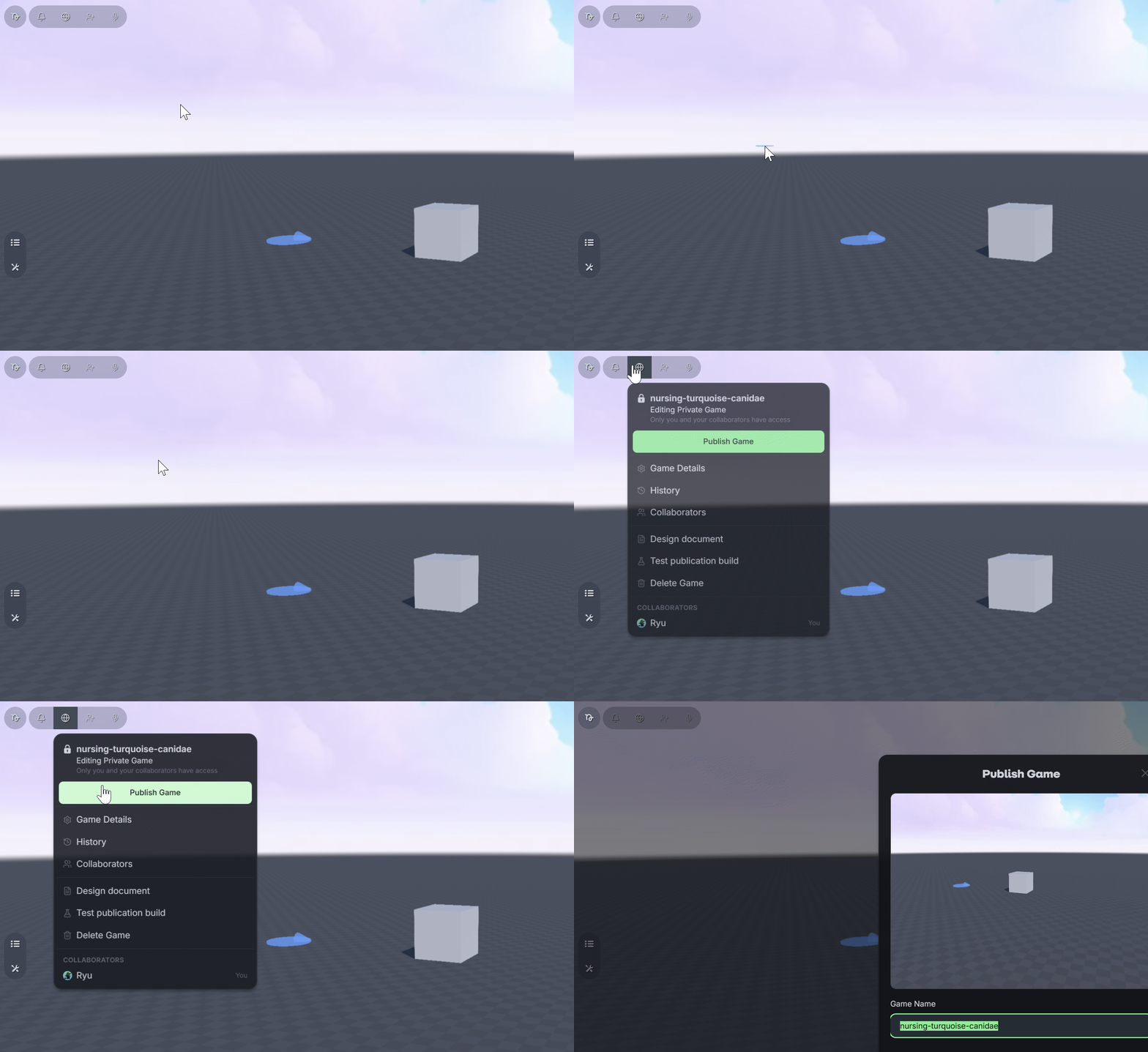
Edit your Game Name.
Choose to allow Cloning or not, then select Publish Game.
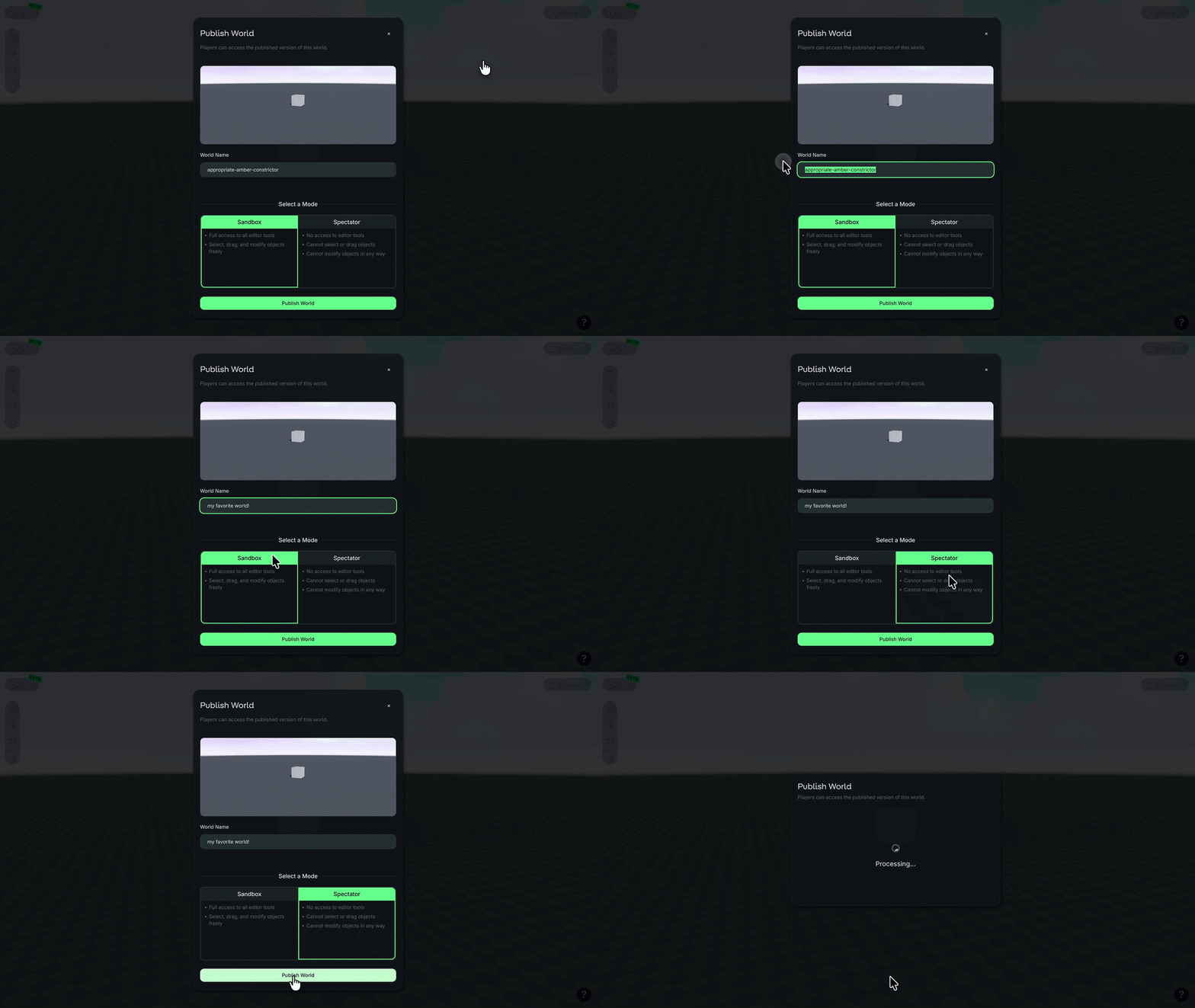
Your Game preview, or thumbnail, will use what is displayed when publishing.
Was this helpful?
Still need help? Ask the team