How to Save and Load a Game
Last updated 3 days ago
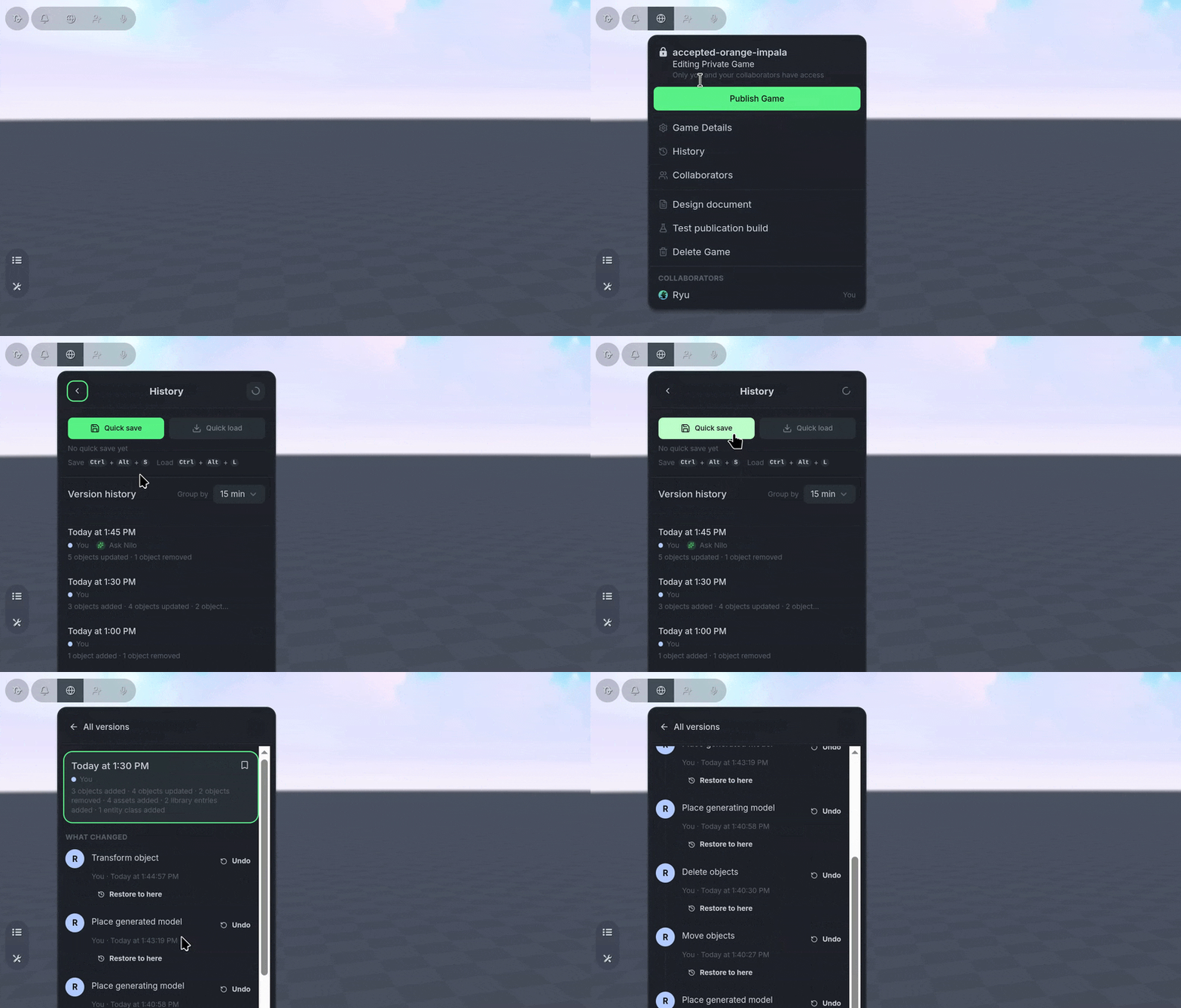
Select the 🌐 World option in the top left corner of the screen, then select History.
Select Quick Save to manually create a saved version of your game that you can Quick Load.
Most changes are auto saved automatically as you build your Game and can be loaded through the drop down menus.
Was this helpful?
Still need help? Ask the team