Physics Collider Types
Last updated 8 months ago
Select an object, then select the < Icon on the right side of the screen to expand the Inspector Panel.
Navigate to the Physics section and select the Shape Type to change the Physics collider on an object.
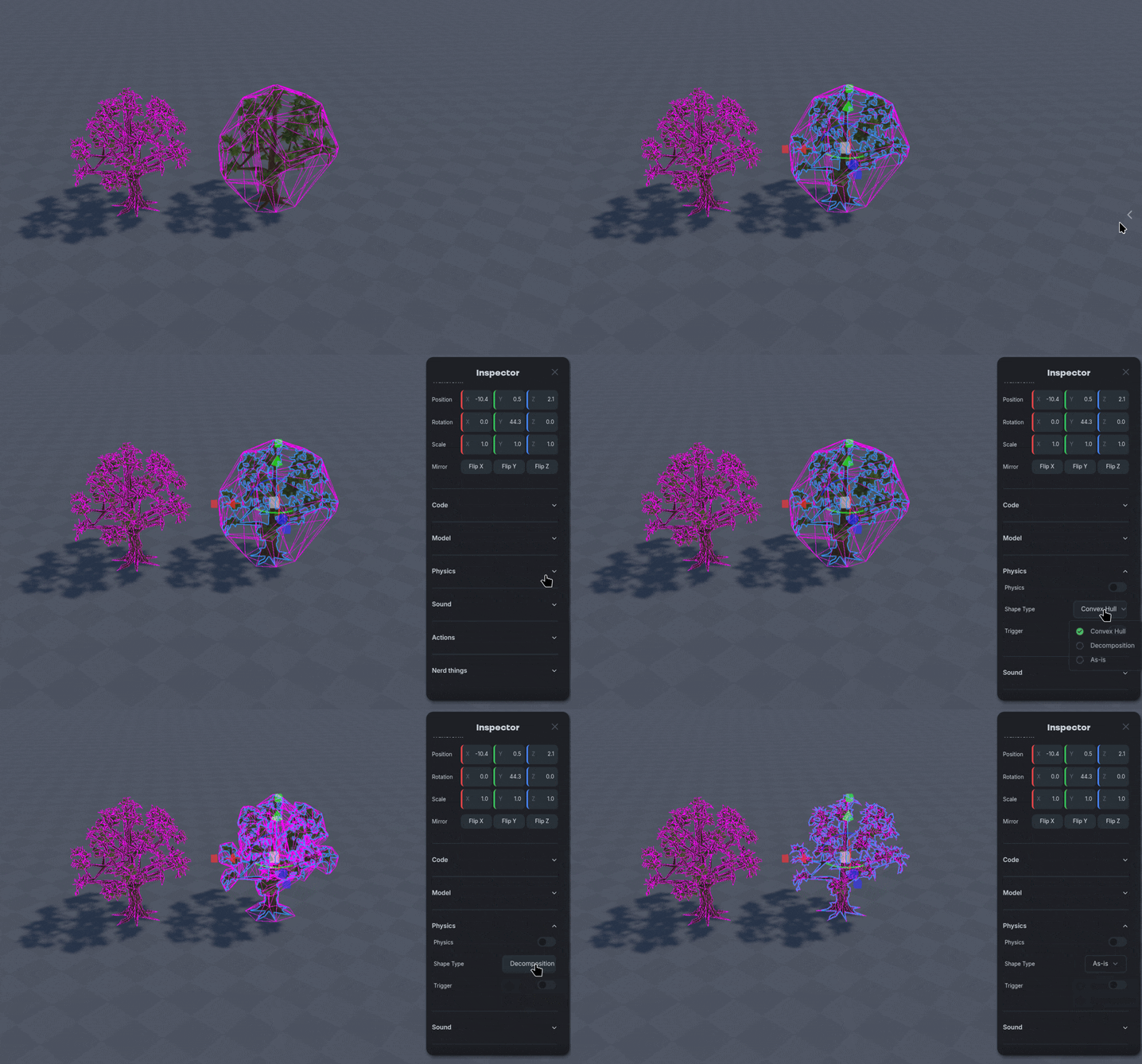
Use Alt-C to toggle seeing colliders on objects.
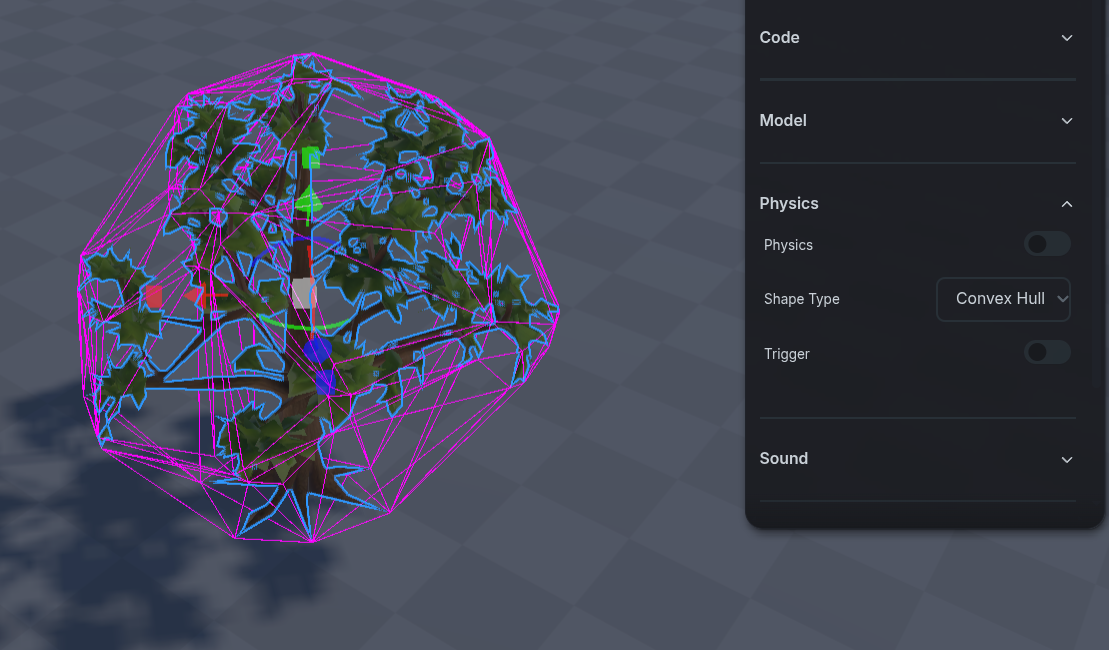
Convex Hull
Convex Hull
Convex Hull acts like a shrink wrap around the model, creating a “Bubble” shape that acts as the collider for physics.
Decomp
Decomp
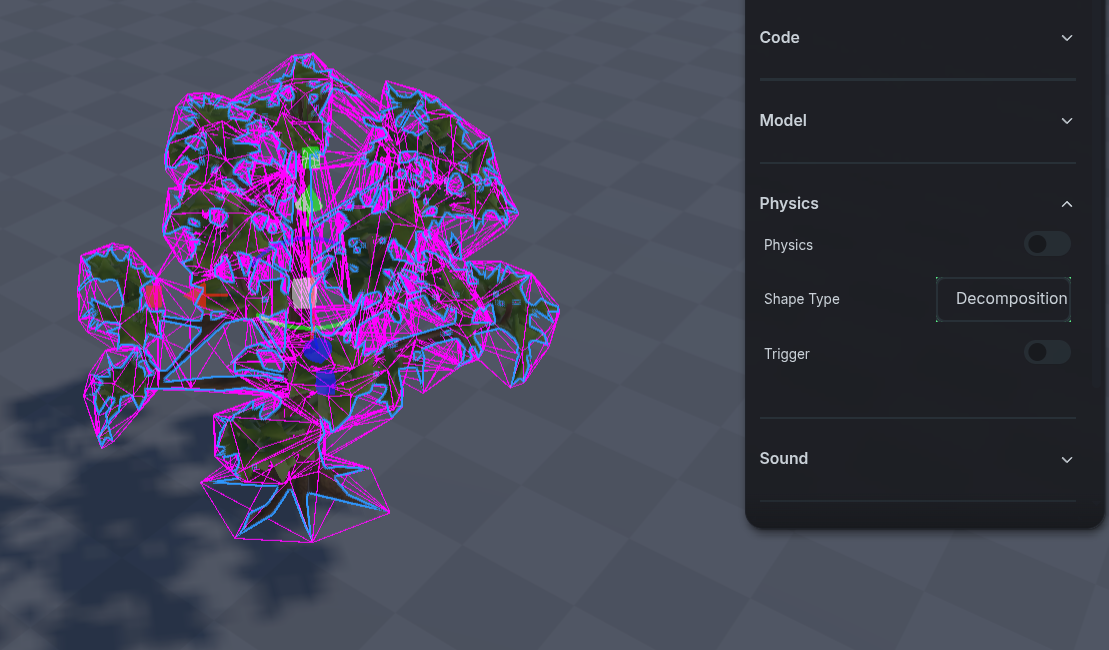
Decomp is an advanced version of the Convex Hull, acting like a shrink wrap around the model that more closely adheres to the shape of the object.
As Is
As Is
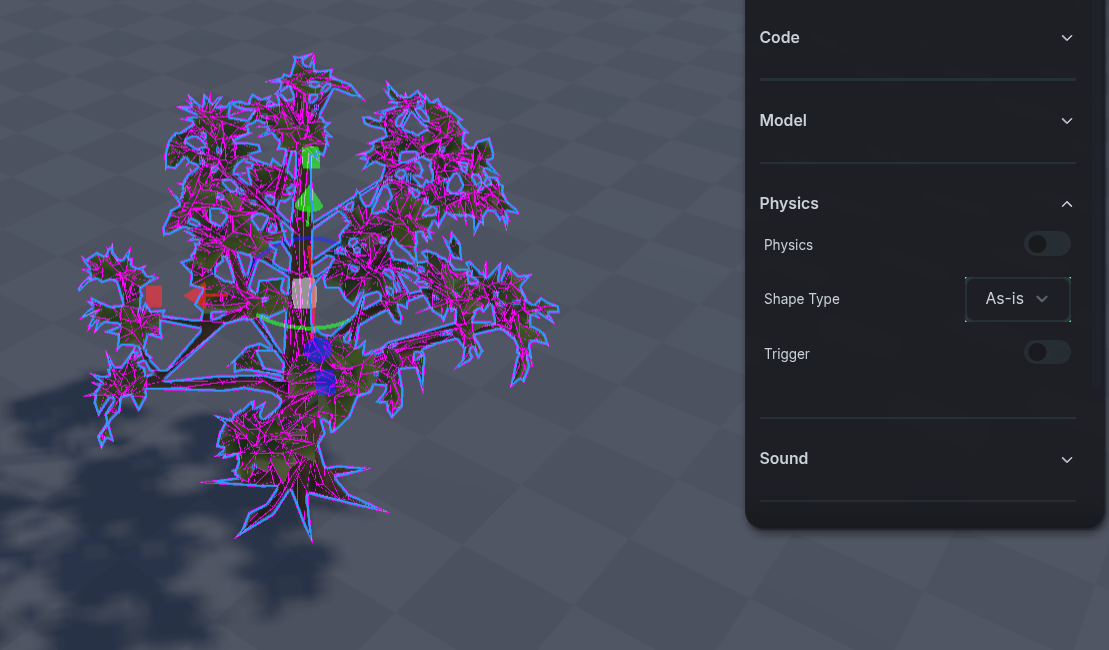
As Is will take the exact 3D mesh of the model as the collider. This can have significant performance impact due to the complex shape of the collider.
Toggling the Physics Collider Type option in the ⚒️ Dev Panel will make all future objects created have the selected collider type.
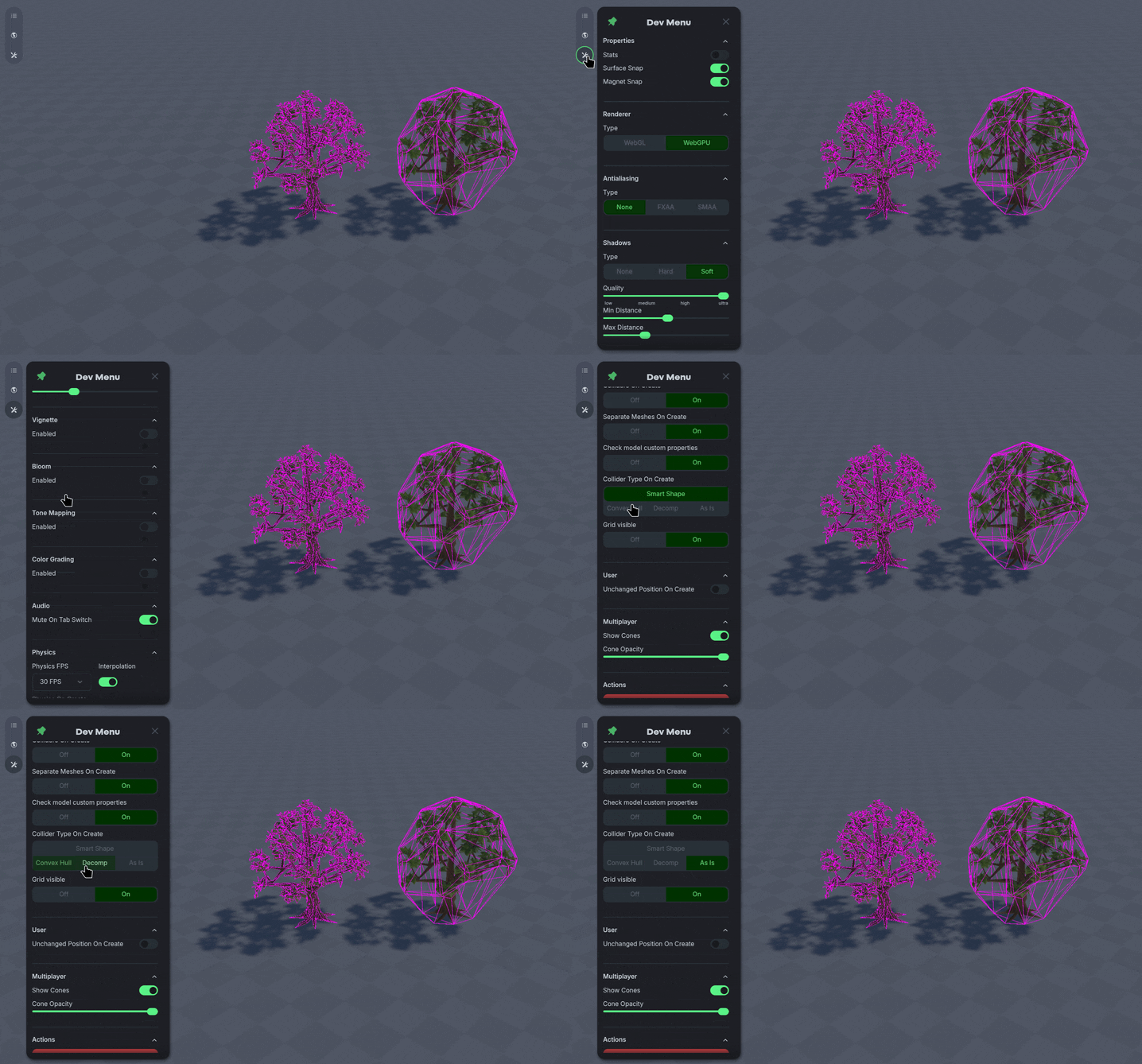
Smart Shape
Smart Shape
Smart shape will automatically select an ideal collider type based on the object that is generated, we recommend keeping that setting unless you have a specific one in mind
Was this helpful?
Still need help? Ask the team