Creating Light Entities
Last updated 8 months ago
Right Click and empty spot in the World
Choose the Create Object option
Select the 💡 Light entity icon

Light Entity Settings
In the Inspector panel, navigate to the Light section.
Choose the type of light you want to use, then adjust the settings for your needs.
You can disable the Icon for the light, or the light entity itself using the Enabled or Icon Visible toggles.
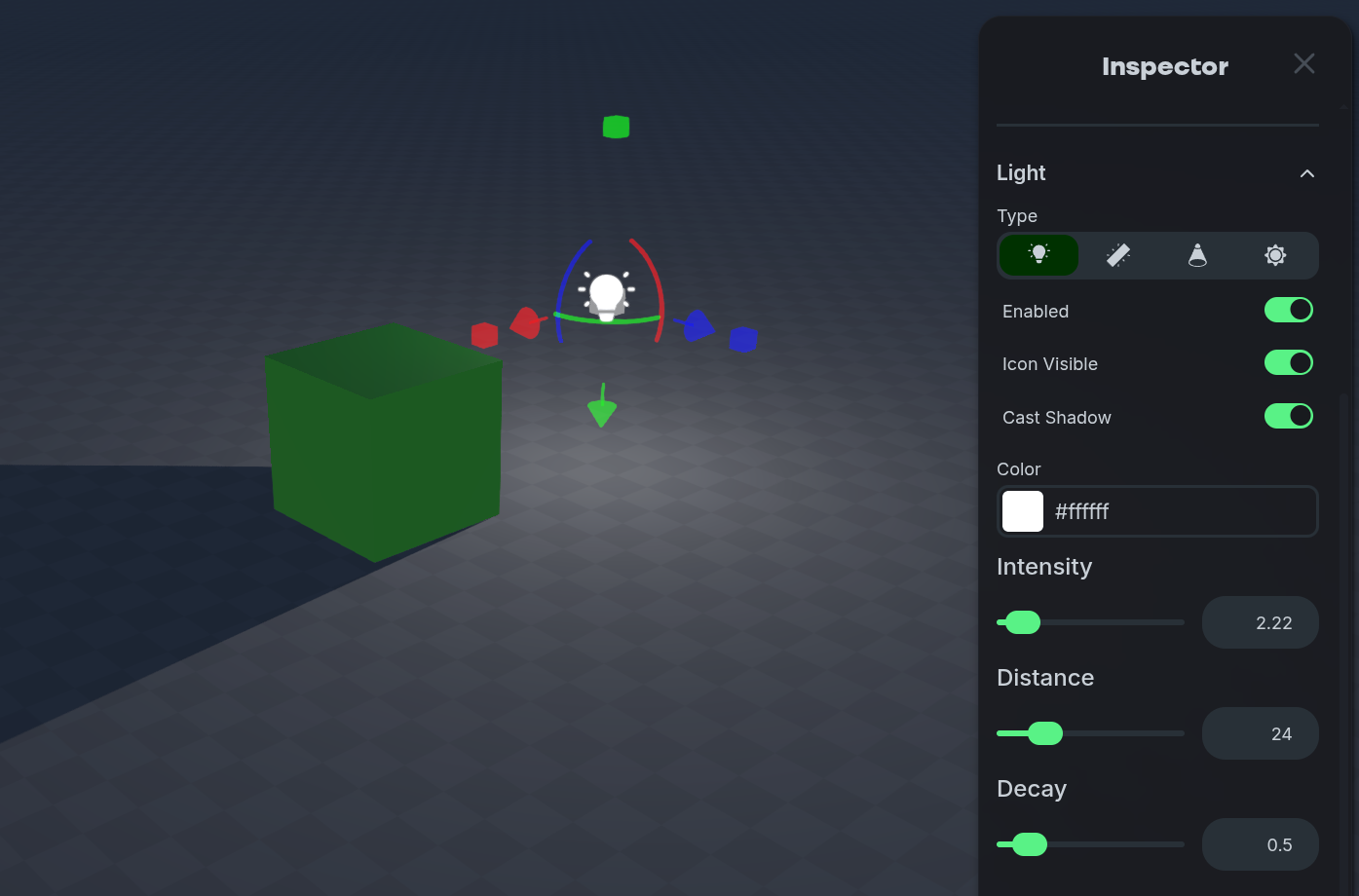
Point Light
Point Light
Point Lights emit in all directions equally from a single point. Often this is used for bare light-bulbs or candles.
Cast Shadow
Toggles if the light casts shadows based on other objects in the World.
Color
Adjust the color of the light entity.
Intensity
Adjust the intensity— how bright— the light entity is.
Distance
Adjust the maximum possible distance the light reaches in the World.
Decay
Adjust how quickly the Intensity of the light fades to zero based on the distance.
Spot Light
Spot Light
Spot Lights emit in a cone shape from a single point. Often this is used for stage lights or flashlights.
Cast Shadow
Toggles if the light casts shadows based on other objects in the World.
Color
Adjust the color of the light entity.
Intensity
Adjust the intensity— how bright— the light entity is.
Distance
Adjust the maximum possible distance the light reaches in the World.
Decay
Adjust how quickly the Intensity of the light fades to zero based on the distance.
Angle
Adjust the angle of the cone shape that is used to emit the light.
Penumbra
Adjust the sharpness of the light as it nears the edge of the cone shape.
Rect Area Light
Rect Area Light
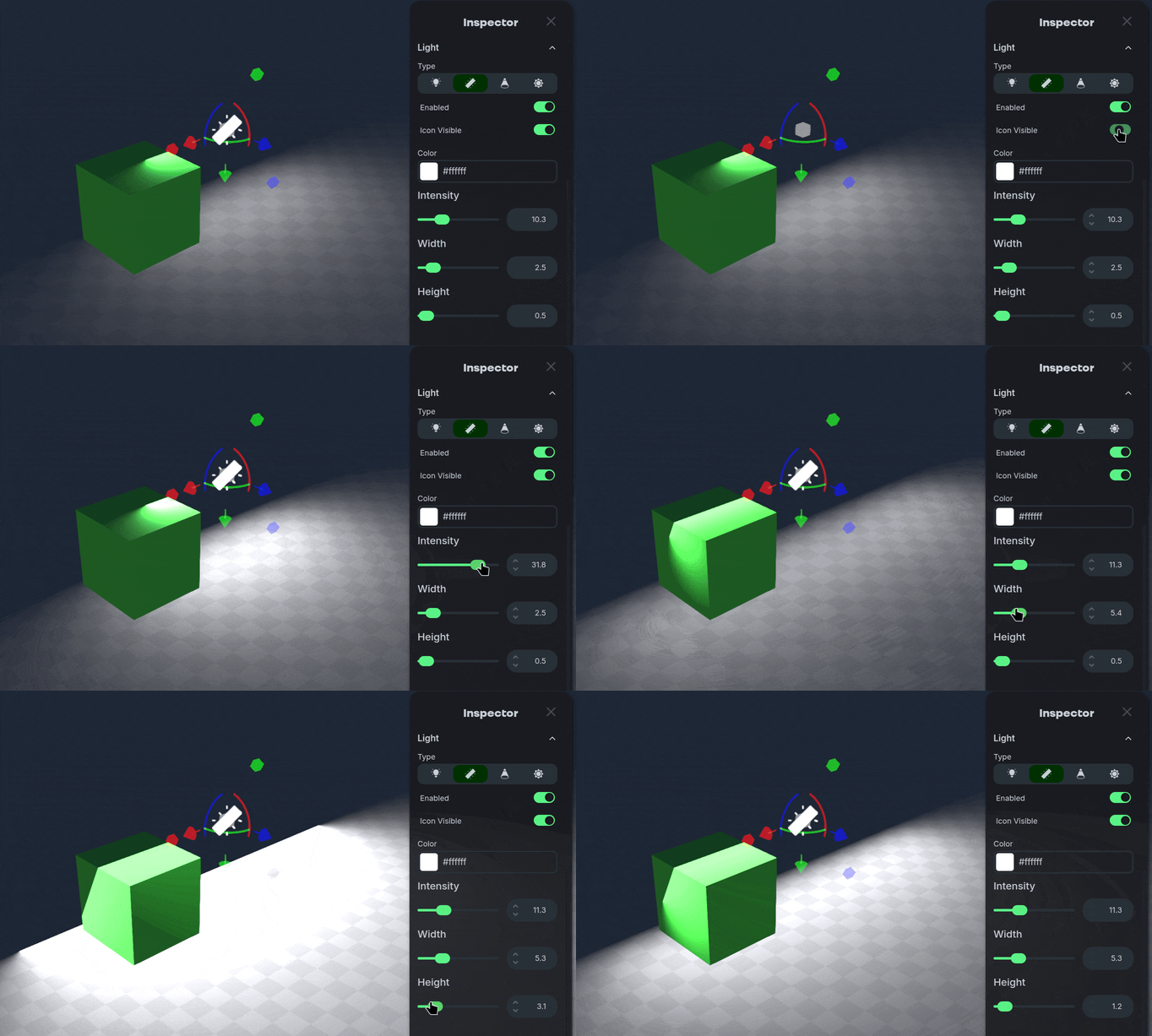
Rect Area Lights emit light from a rectangular shape instead of a single point. Often this is used for monitor screens, or stylized lighting cutoffs.
Color
Adjust the color of the light entity.
Intensity
Adjust the intensity— how bright— the light entity is.
Width
Adjust the size of the rectangular shape.
Height
Adjust the size of the rectangular shape.
Sun Light
Sun Light
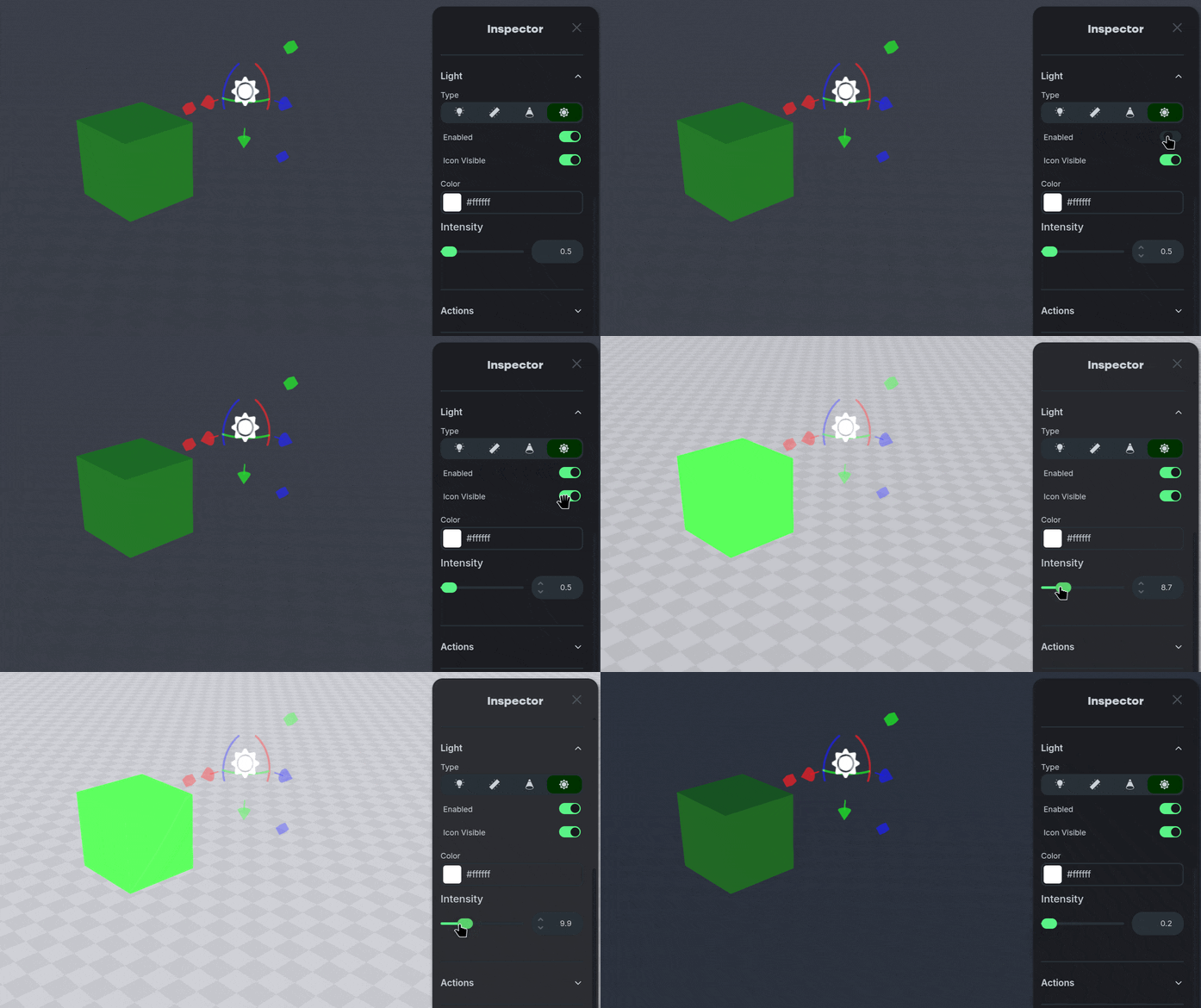
Sun Lights simulate emitting light from so far away that all of the light rays are perfectly parallel. Often this is used to mix or change the overall color of lights in the World.
Color
Adjust the color of the light entity.
Intensity
Adjust the intensity— how bright— the light entity is.
Was this helpful?
Still need help? Ask the team