Importing Audio into Nilo
Last updated 6 months ago
Select the object you want to import a sound to, then open the Inspector panel.
Navigate to the Sound section and select Upload Sound
Choose the file from your computer to upload. Ensure it’s a typical audio file type like a MP3, OGG, or WAV.
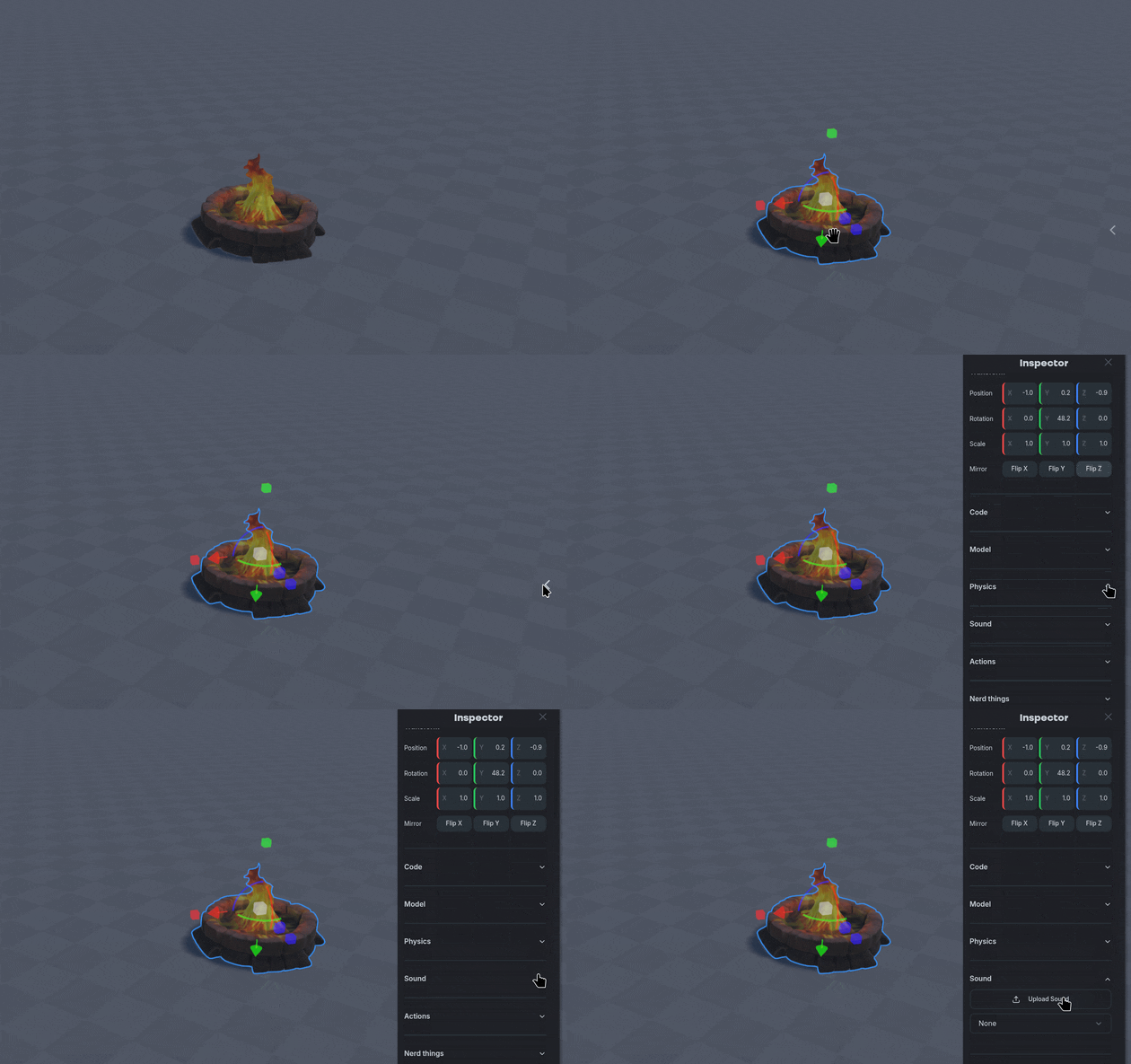
Uploaded sound files are stored at the World level, meaning you can use the same sound file on multiple objects without having to import it again.