How to Edit a Generated Object
Last updated 6 months ago
Currently, options to retexture or edit the meshes on objects are limited.
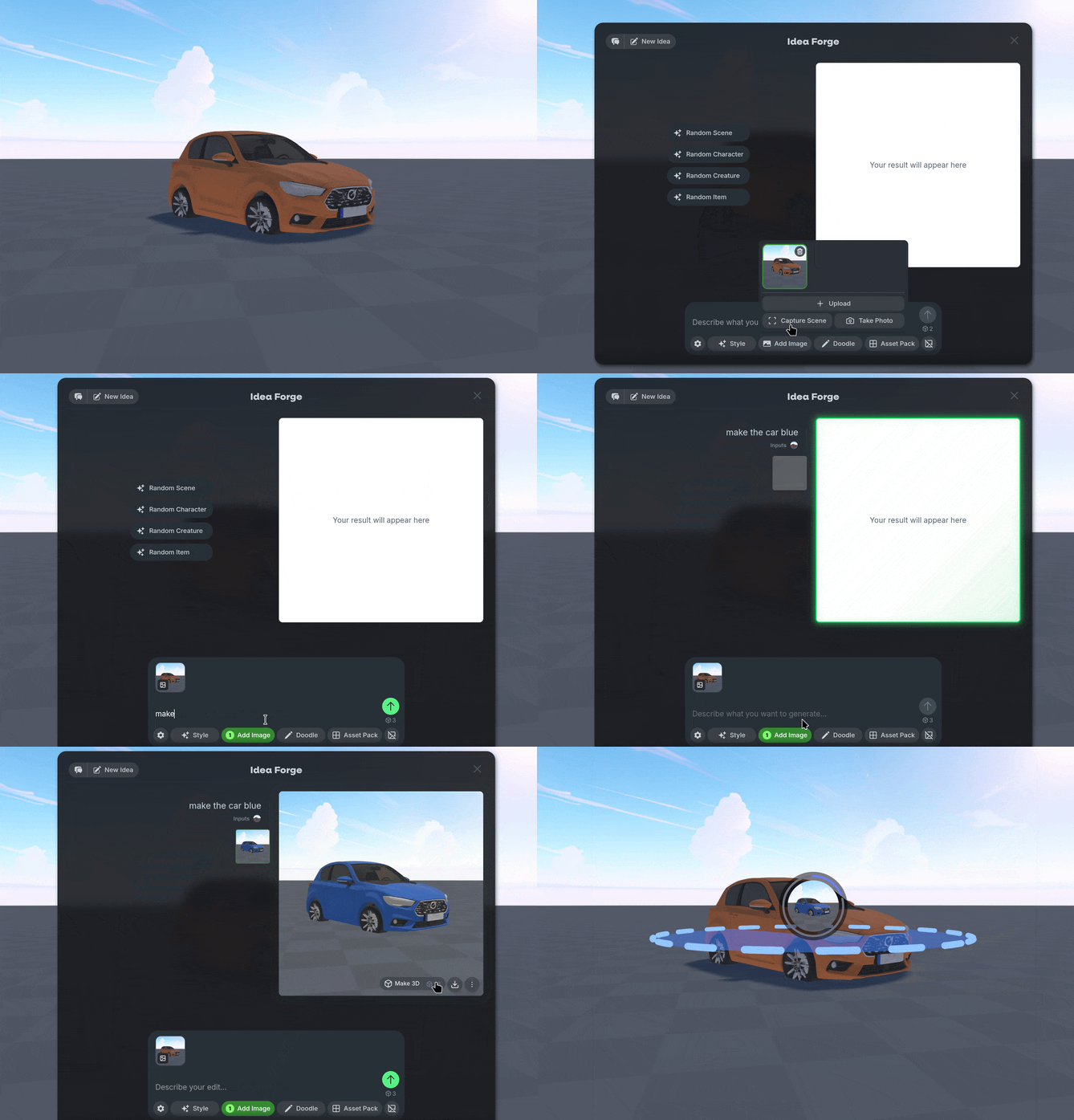
To make edits to a generated object,Right Click an empty spot in the World.
Select Add Image to Capture an image to edit further with Idea Forge.
Type prompts to edit the image to your desired outcome, then generate a new object.