How to Improve Model Generation Quality
Last updated 6 months ago
Your model output largely depends on what you’re using for input information, as well as the underlying AI Model used for generation.
Nilo supports multiple AI models, each with their own strengths. To understand the best prompting practices we recommend reading into our AI Models documentation.
In general, if you’re wanting to make something specific, the more information you provide with your prompts, the closer the outcome will be to your intentions.
If you have a strong visual idea of what you want to do, use the Idea Forge or the Create from Image options to pair imagery with your text prompts.
For something more general, you can use Create from Text with detailed prompts. Instead of a spear with runes you can try A spear with runes with a leaf-shaped blade and a long wooden pole, etched glowing symbols running down the wooden pole
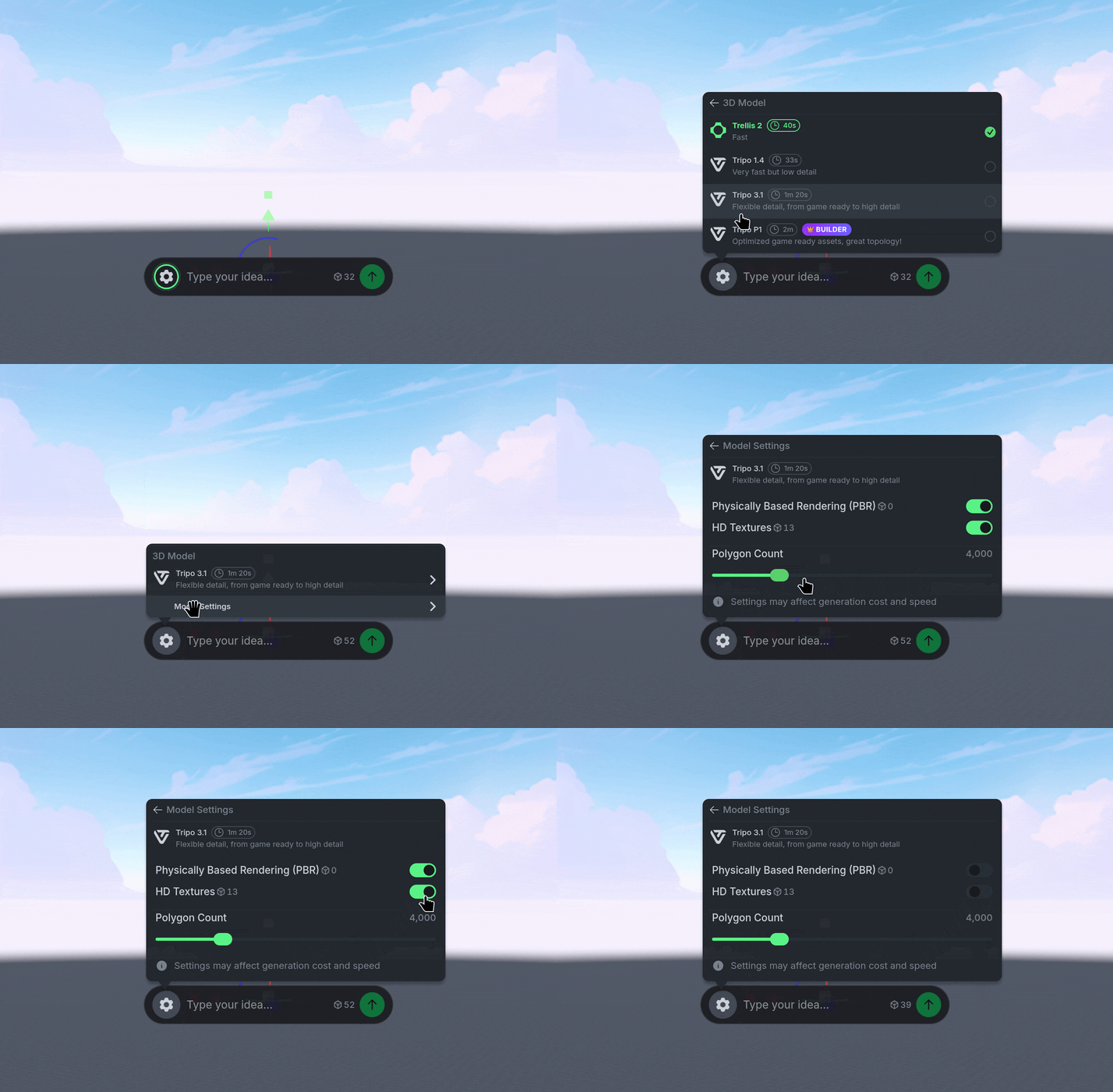
You can use the ⚙️ Gear Icon to select a different AI Model, or adjust the settings of your generation such as the Polygon Count, or High Quality Textures.