Configuring Audio on an Object
Last updated 6 months ago
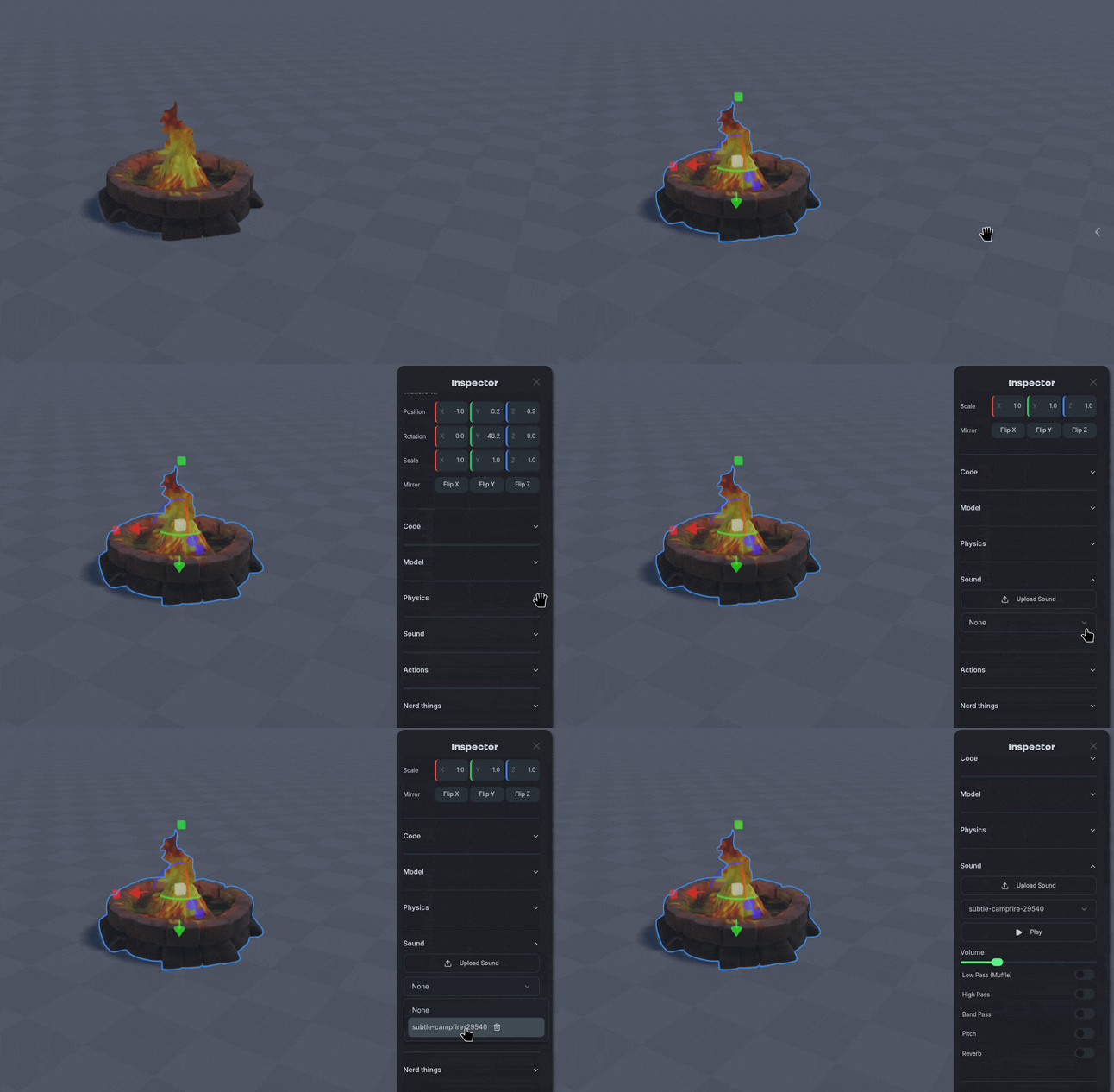
Select the object you want to modify the audio of and open the Inspector panel.
Navigate to the Sound section and select the drop down menu to choose an uploaded sound.
Select the audio file and modify the sound settings to suit your needs.
Sound Settings
Nilo supports a standard set of audio processing filters, use them to change the texture or feel of a sound.